

Most day-to-day AI use still happens in the browser, even as AI becomes embedded in business applications, copilots, and APIs.
For a stretched IT team, the challenge is not simply knowing that someone opened an AI site; it is understanding what the person did next. Did they paste customer data, upload a confidential document, or share information that should not leave the business?
Without that visibility, restriction becomes the safest option: approve a small number of tools, block the rest, and treat every new service as another unknown.
Browser-based controls change that decision. They can inspect interactions at the point where users paste text, submit prompts, or upload files. The controls can then identify the applicable policy and enforce the right response based on the user, application, data type, and action. That might mean warning the user, masking sensitive information, blocking the action, or recording the event for investigation and reporting.
Action-level control reduces exposure and gives IT more room to approve AI use safely. Instead of choosing between unrestricted use and a blanket ban, IT can approve a broader set of large language models (LLMs) within a controlled browser environment while still controlling what information is allowed to leave the business.
Browser-based controls are not the whole answer to AI security, but they are a practical place to start. They give IT more control over which AI activities the business can safely approve.
Why the Employee Experience Matters
Most AI security content talks about governance from the admin side. But the success or failure of AI controls is decided in the moment when an employee tries to do their job. Most employees do not wake up planning to leak company data into a public AI tool. They are trying to summarize a document, rewrite a message, or get unstuck.
For that reason, AI security cannot live only in acceptable-use policies and annual training. For browser-based AI use, security has to show up in the workflow at the moment someone is about to share something they should not. Experience matters. A blunt block with no explanation encourages workarounds. A clear warning or approved alternative gives the employee a way to keep working. Where appropriate, sensitive data can be masked or the user can request an exception.
The Employee Opens an Unsanctioned AI Tool
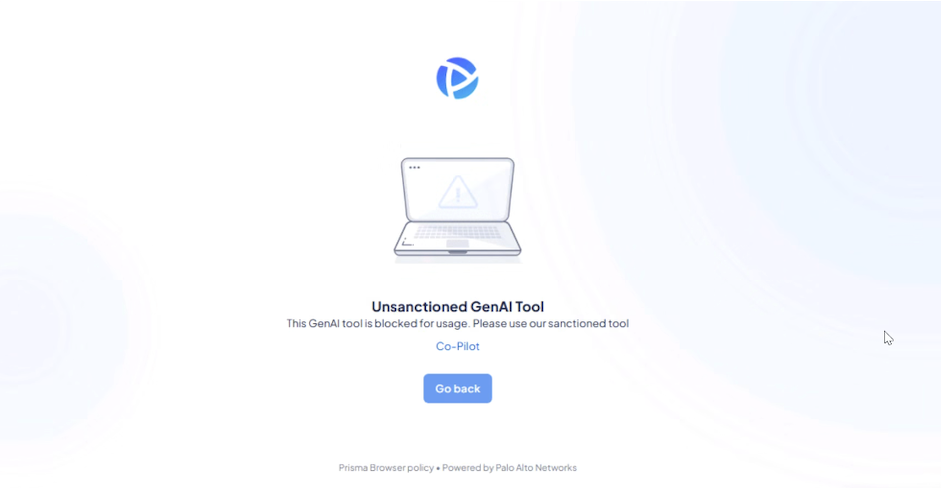
Picture this: It's late Monday afternoon. Your sales representative is preparing a customer proposal, and they're up against the clock. They open the public AI tool they already know and start working.
Instead of relying on the employee to remember an acceptable-use policy they read six months ago, the browser can intervene and explain that the tool is not approved.
Simply blocking the site addresses the immediate risk but may encourage the employee to find another route. Their work still needs to be completed.
A better experience explains why access is restricted and redirects the employee to an approved tool at the moment they need it.
The Employee Enters Sensitive Information into an AI Prompt
This is where AI access control becomes more specific. The question is no longer: Can this employee visit this website?
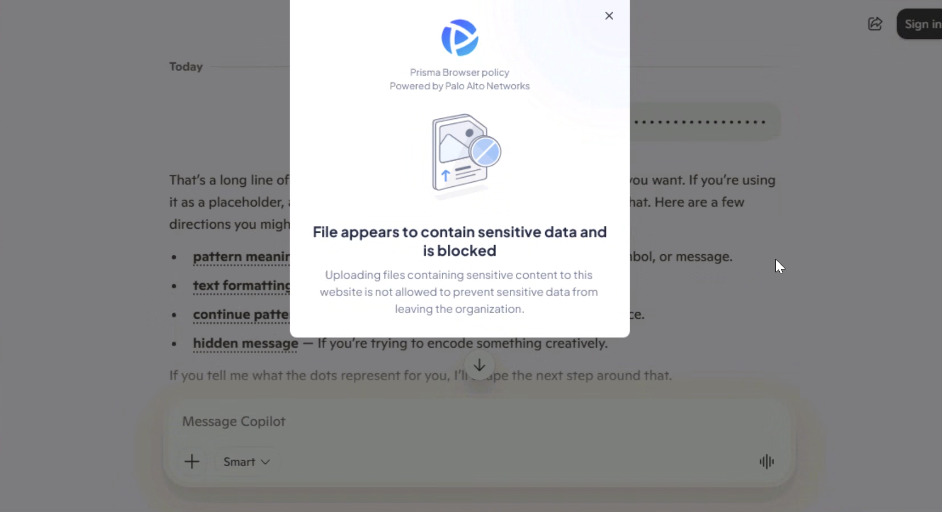
It becomes: What information can the employee share with this tool, and what should happen when sensitive data is detected?
Depending on the data and level of risk, the employee may receive a warning, the sensitive information may be removed, or the submission may be blocked.
Now imagine that the AI tool itself is allowed. While completing a legitimate task, the employee accidentally includes sensitive information, such as payment card data, in a prompt. As the interaction happens, the browser detects the data and intervenes before it is submitted.
The Employee Attempts to Paste Sensitive Data
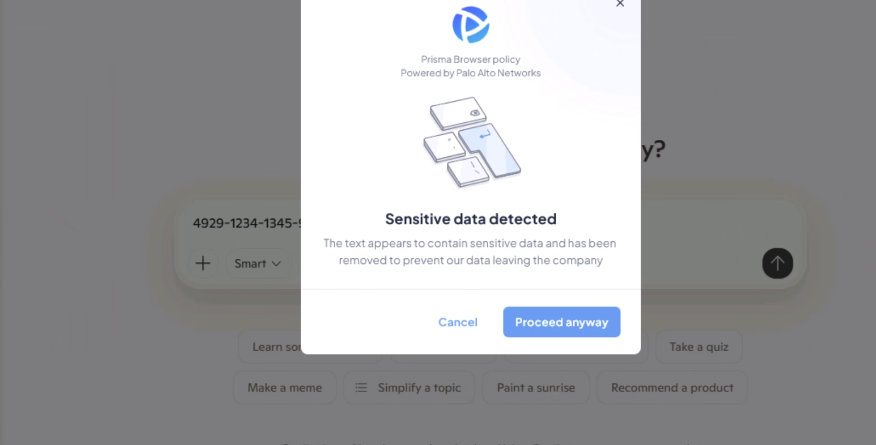
A stricter response may be needed when an employee attempts to paste sensitive information into an AI prompt.
In this example, the browser obscures the data on screen and prevents the paste from being submitted. The employee receives an immediate explanation, while access to the approved AI tool remains available.
This stops the sensitive information from leaving the business without blocking the entire application or creating a separate support request.
The response should reflect the risk. Some activity may only require a warning, while higher-risk data should be removed or blocked.
The Employee Uploads a File That Contains Sensitive Content
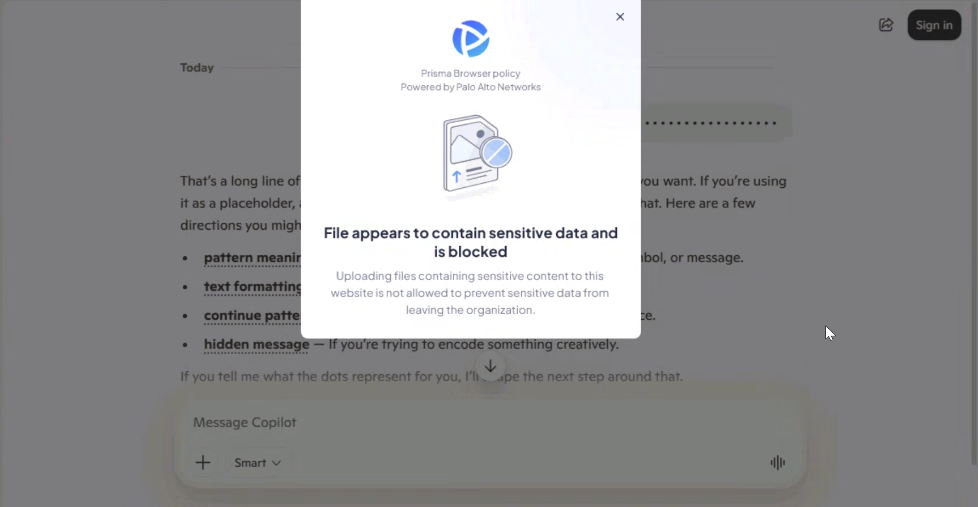
Pasting text is only one way data moves into AI tools. Employees also upload spreadsheets, presentations, PDFs, source files, and other documents for an AI tool to analyze.
The same distinction applies: The tool is allowed, but this particular action might not be. An organization may be comfortable allowing employees to use an AI service for general research while preventing confidential documents from being uploaded.
Action-level policy gives IT more options than a simple allow-or-block decision.
The Employee Takes a Screenshot
Data does not only leave a business through text and files. Screenshots and screen captures from browser-based applications can expose customer information, internal dashboards, financial data, confidential documents, and other sensitive content.
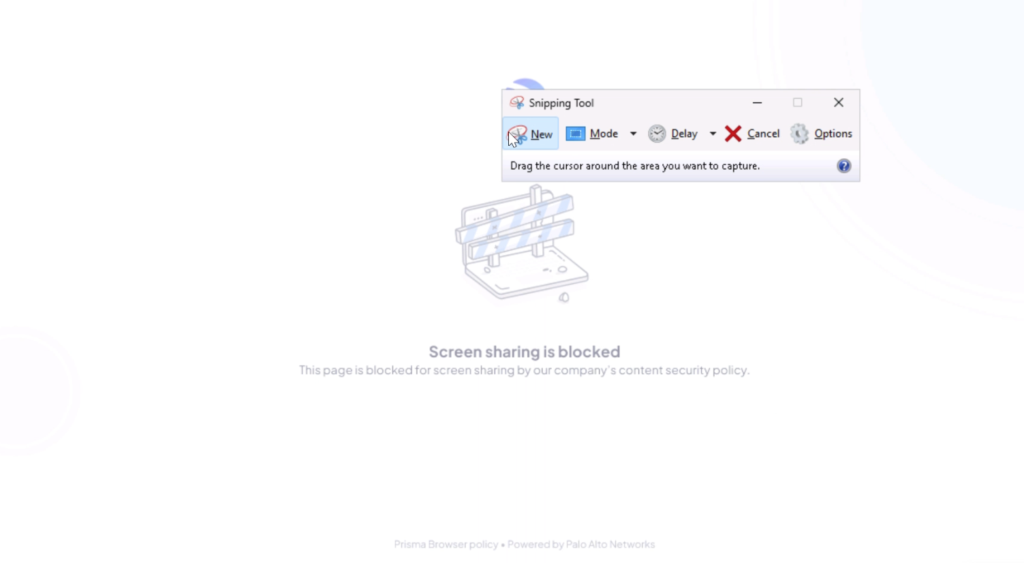
The policy should reflect the sensitivity of the data, the application being used, the user’s role, and the business context.
Where the risk justifies it, controls can be used to block screen capture or screen sharing from selected browser-based applications, including customer relationship management (CRM) platforms, internal portals, and other web applications.
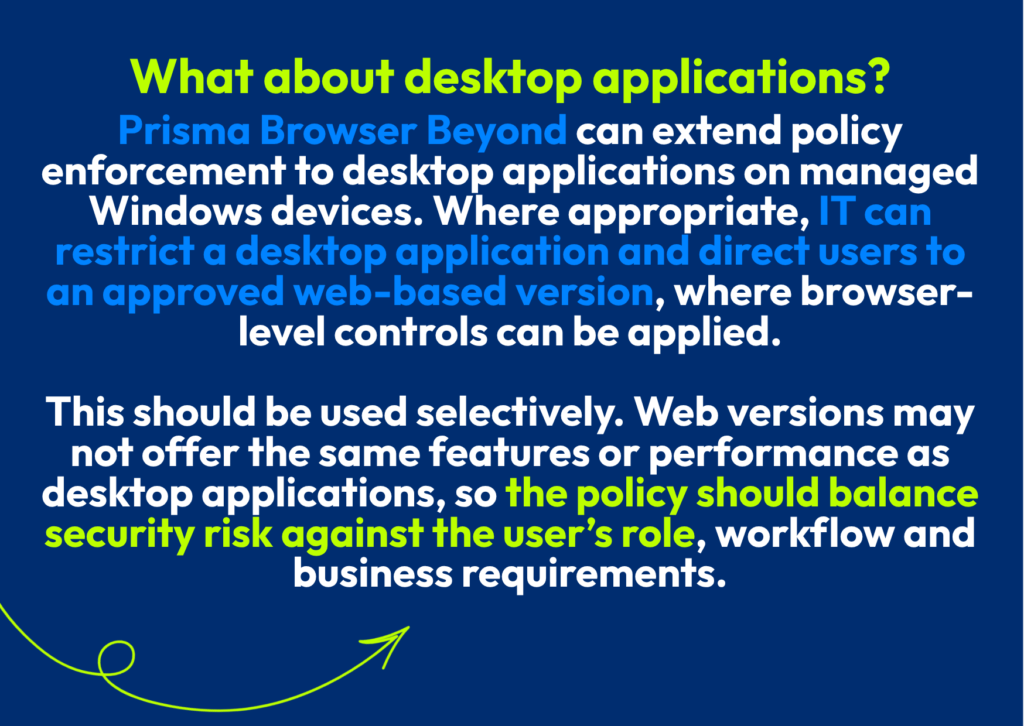
The Employee Requests Permission Instead of Finding a Workaround
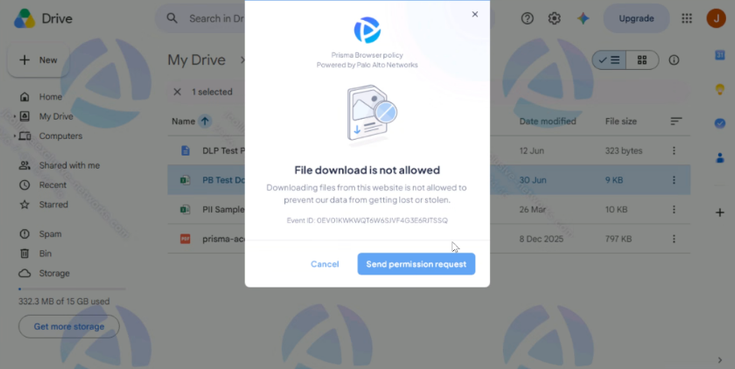
A block might stop the immediate risk, but it does not make the employee's task disappear.
Without a clear next step, employees may raise a support ticket or turn to another tool to get around the control.
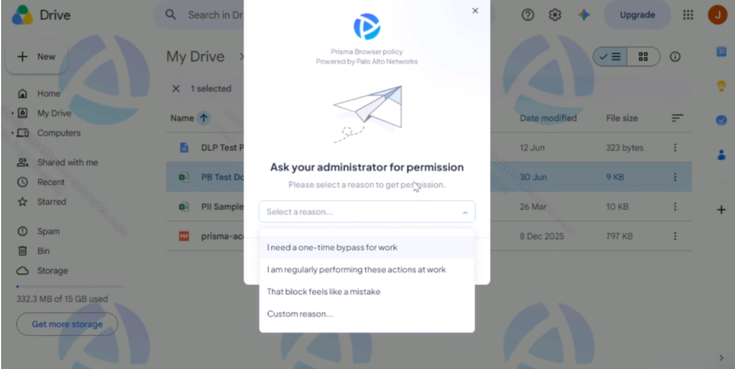
A permission workflow gives them a safer option. Instead of routing around the control, they can explain what they are trying to do and request access. IT gets context about the request and can decide whether an exception is justified.
The Admin View
If one employee requests an exception, it may be an edge case. If 10 employees request access for the same workflow, IT has learned something about how the business is actually using AI.
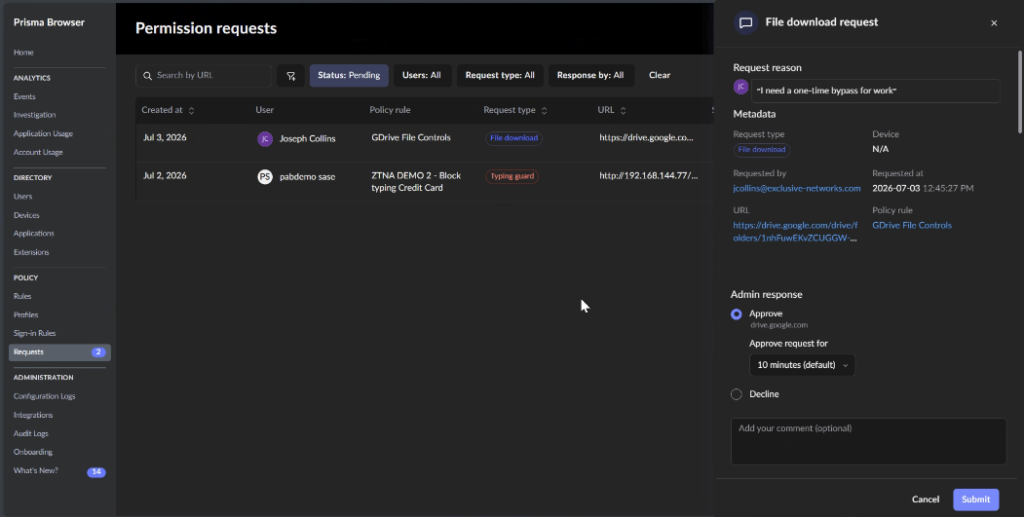
That visibility can now extend beyond the application and action to the prompt itself. Where prompt collection is enabled, administrators can review what employees submitted to supported GenAI platforms, providing more context for investigations, policy decisions, and user education.
IT can then adjust policy using evidence rather than assumptions. For a team that’s already supporting a distributed environment, that operational insight matters. A single policy adjustment can prevent IT and security teams from repeatedly assessing the same use case.
You Don't Need a Six-Month AI Security Project
For many IT teams, the concern is operational effort. Will reducing AI risk require months of policy design, deployment, and tuning?
It does not have to. You can begin by gaining visibility into how employees are already using AI, then apply controls to the highest-risk activity first.
Deploy the browser extension, collect telemetry, and understand how employees are already using AI tools. Which applications are they accessing? What actions are they taking? Where might sensitive data be exposed?
This creates a baseline of real activity. Instead of building policies around assumptions, IT can use actual user behavior and AI interactions to identify where controls will have the greatest impact with the least disruption.
Select one high-risk action and apply a focused policy first.
For example, prevent confidential files from being uploaded to unapproved AI tools. Apply the control, monitor who encounters it, and review the resulting warnings, blocks, and exception requests. Repeated friction among legitimate users provides useful feedback for refining the policy.
You do not need to predict every way your employees might use AI before you start protecting the business.
A practical starting point is:
- Understand what AI tools are in use. Identify which tools employees use and where sensitive data is moving.
- Prioritize risky actions. Focus on uploads, sensitive data, copy and paste, or other high-risk activity.
- Start with one or two controls. Avoid building an extensive policy set before you have evidence that it is needed.
- Watch how employees respond. Warnings, blocks, and exception requests show where policy reduces risk and where it creates unnecessary friction.
- Tune and expand. Use real activity and exception patterns to choose the next control.
Technology can provide the controls, but it cannot decide how they should be applied. Organizations still need to determine which risks to address first, how strict each policy should be, and how to introduce controls without creating unnecessary friction for employees or more work for IT.
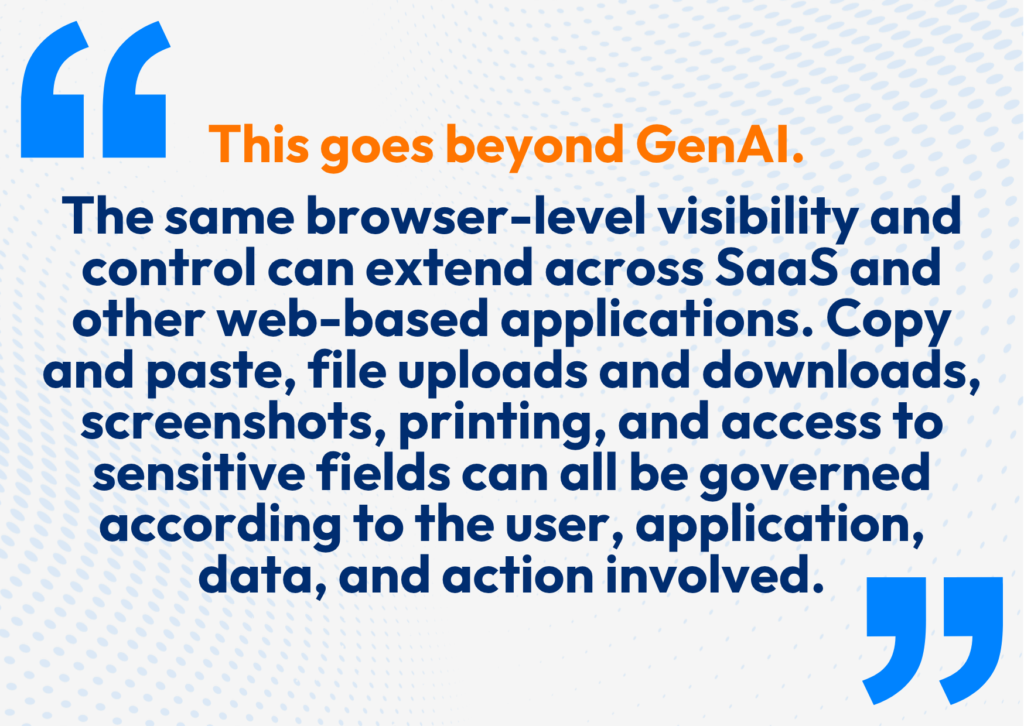
Browser-based controls offer a practical place to begin because they help organizations act on the AI activity already happening today. However, they should form part of a broader approach. As AI use expands across business applications, copilots, APIs, and agents, policies need to adapt to different users, data, actions, and use cases without requiring IT to build a separate process for every new capability.
At Globalgig, we help organizations find practical ways to support more AI use cases without exposing sensitive data or creating unnecessary risk. That means aligning security controls, identity, and policy around how AI is actually being used, then building an approach that can evolve as new workflows and capabilities emerge.
Want to understand where your biggest AI exposure is today? Start with the activity that’s already happening in your environment.